The Booking Engine allows guests to make direct reservations through the hotel's website. It is fully integrated with the hotel system, ensuring real-time availability, accurate pricing, and automatic reservation creation. This article explains how to configure the Booking Engine within the hotel system. From defining general settings to customizing booking rules and payment options, these settings control how the Booking Engine behaves and what information is shown to guests on the website.
Booking Engine
To access the Booking Engine settings, go to the Hotel Management module, select Booking Engine from the menu, and click on Booking Options. This section contains all configuration options related to the Booking Engine's behavior and appearance.
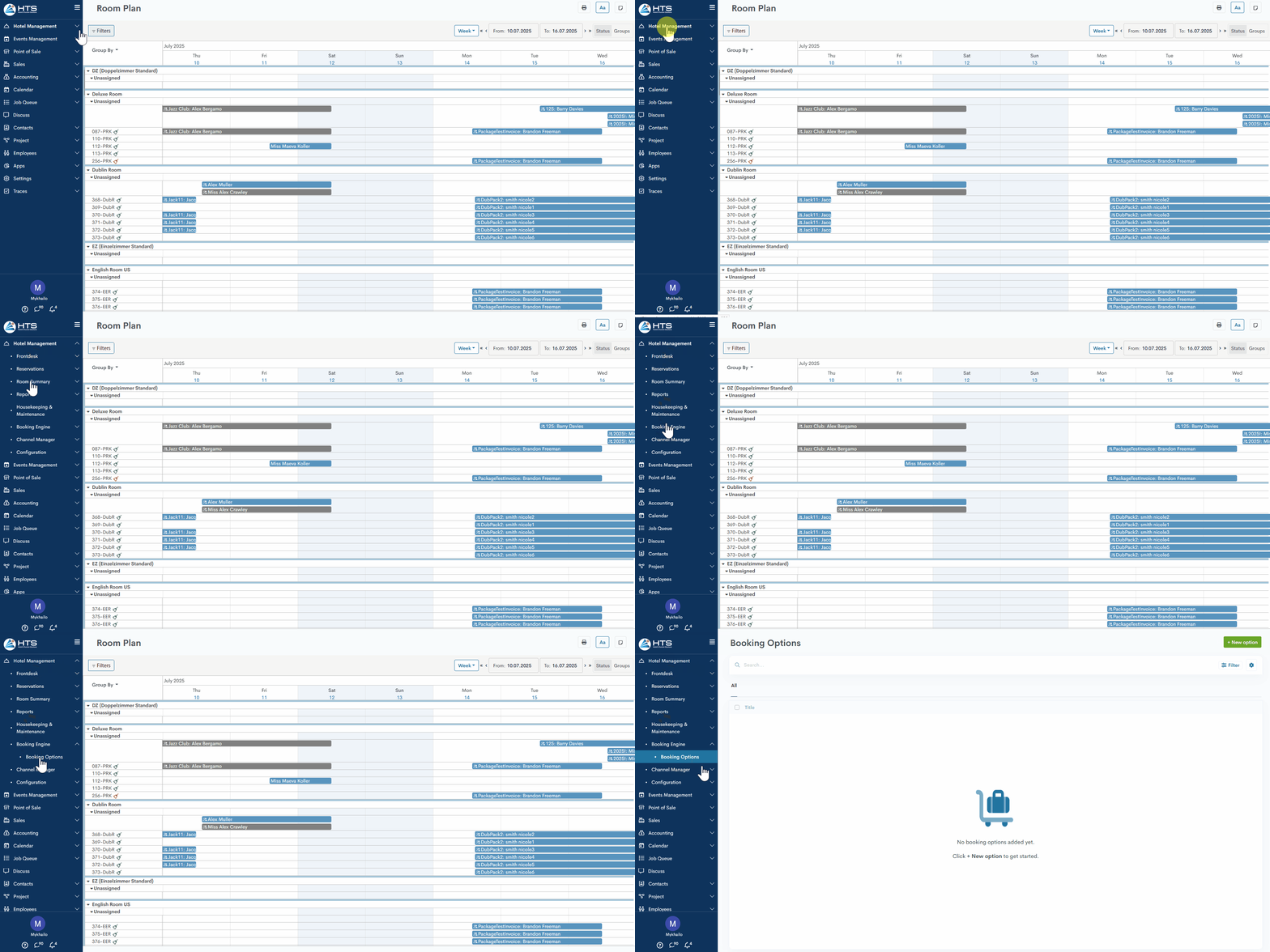
New Booking Option
If no Booking Options have been configured yet, the page will appear empty with a prompt to create a new configuration. To create a new option, click + New Option in the top-right corner of the page. This will open a form where you can define the settings for the new Booking Option.
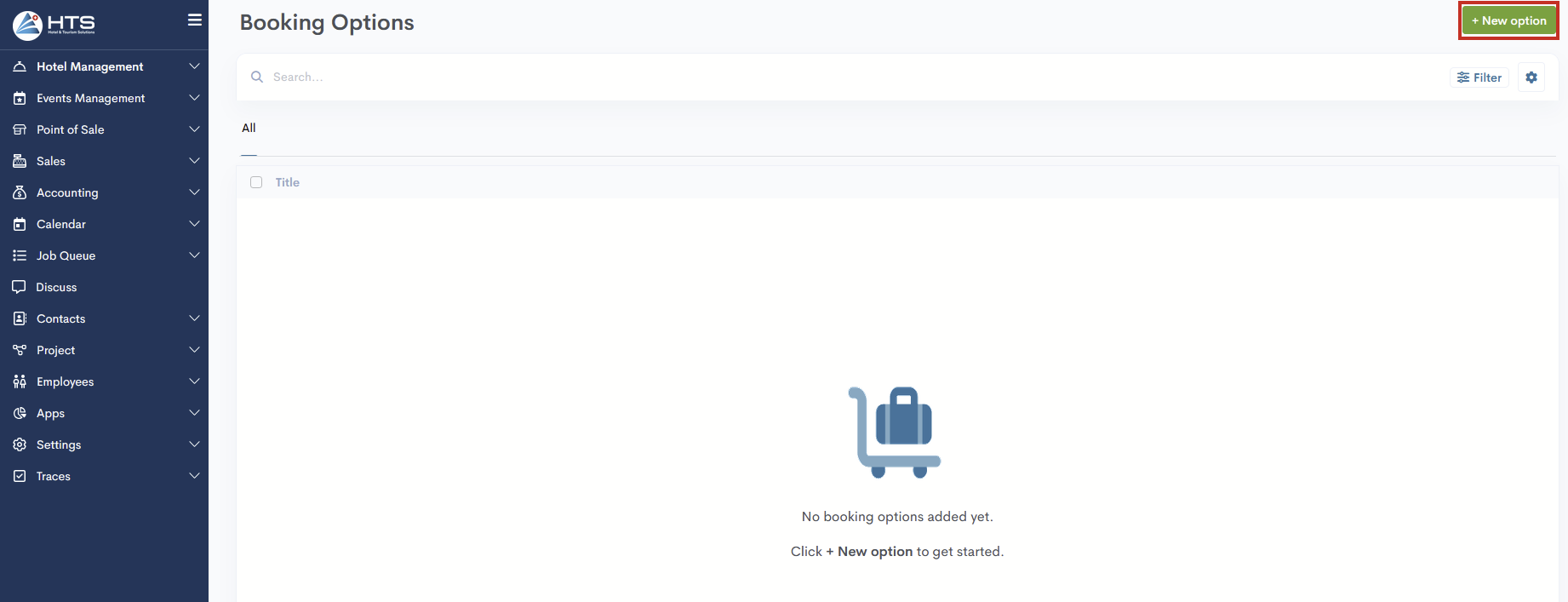
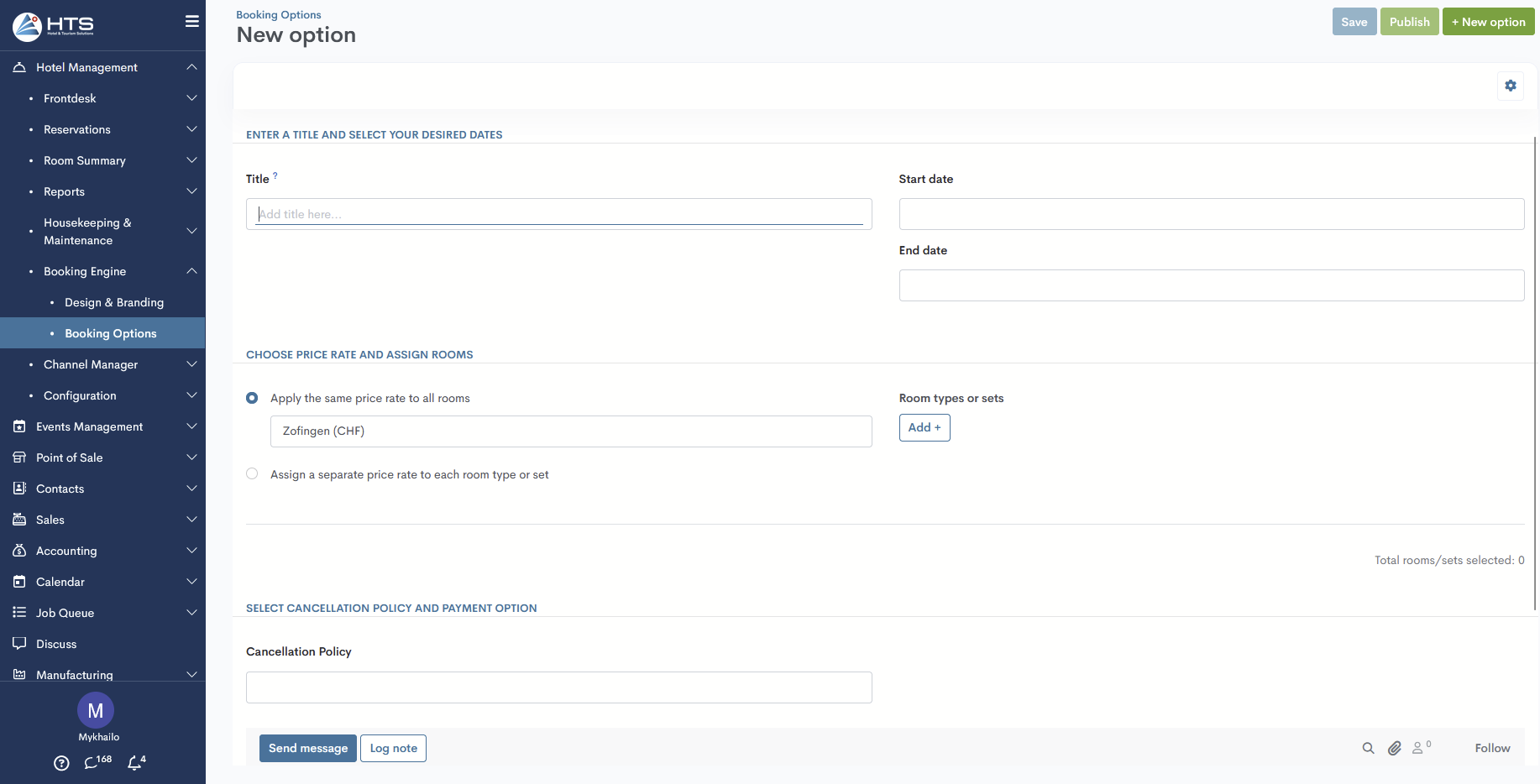
Booking Option Form
In the form, the user needs to configure the current Booking Option by filling in the following fields:
- Title – the name of the booking option that will be displayed to the guest. A tooltip next to the field indicates the allowed format: letters (required), punctuation, and numbers. Titles must contain at least one letter.
- Dates – defines the period when this booking option is available (e.g., for seasonal offers or limited-time deals). Check-in date cannot be set in the past, and the check-out date must not be earlier than the check-in date.
- Price Rate – selects the price rate to be applied when this option is chosen.
- Room Type or Sets – specifies which rooms or room sets are included in this booking option.
- Cancellation Policies – assigns the cancellation rules that apply to this option.
- Payment Options – determines how payment will be handled (e.g., prepayment, pay at check-in, deposit required).
Momentan sind keine Kommentare vorhanden.
, um als erster einen Kommentar zu hinterlassen.