The next step after the Room Selection is providing information about the guests included in the reservation.
Guest Information
At this stage, the guest will see a form with fields to be filled out for each guest added in the previous steps. On the left, there is a list of guests - clicking on any name will navigate the user to that guest’s form for completion.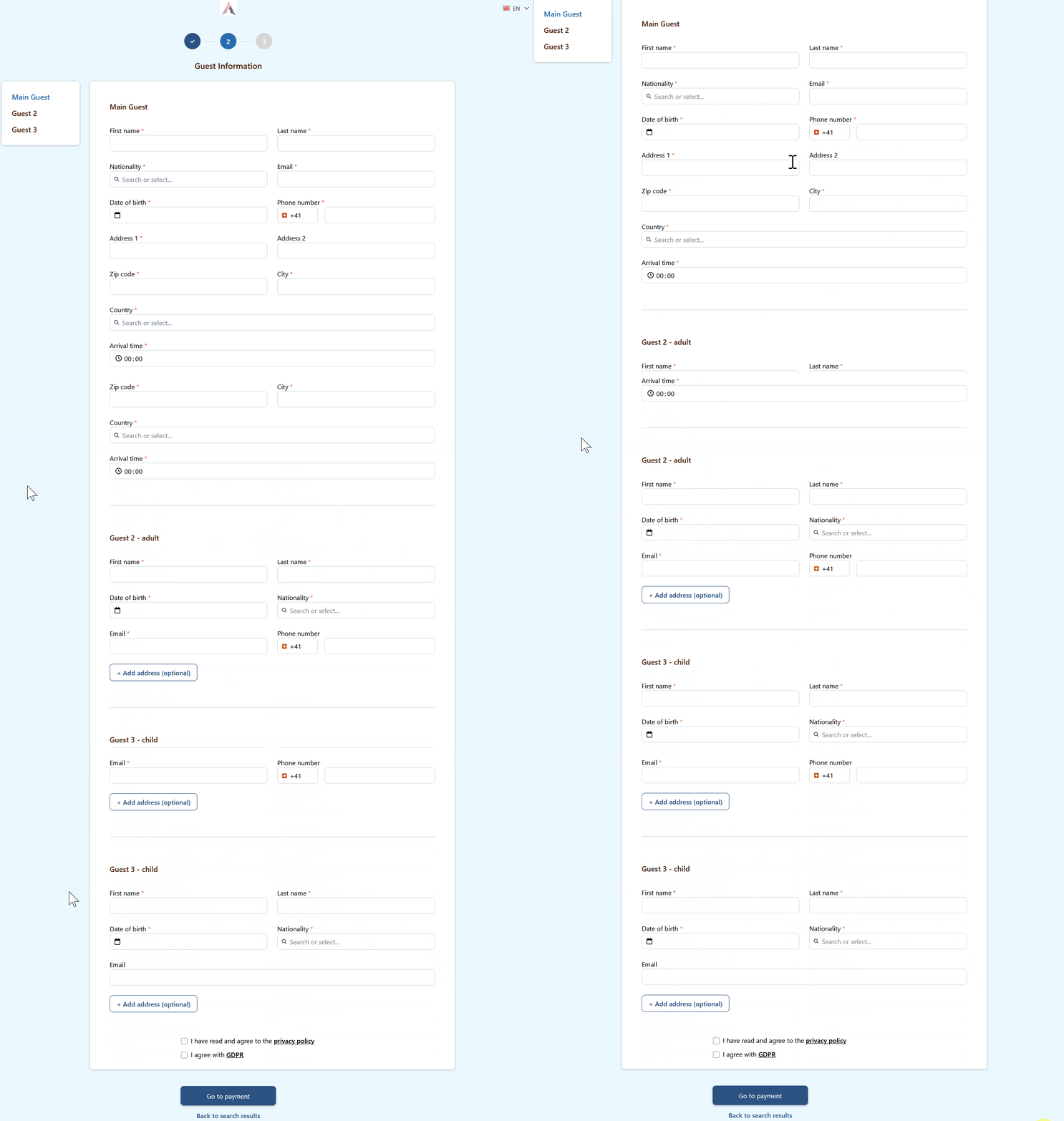
Main Guest form fields
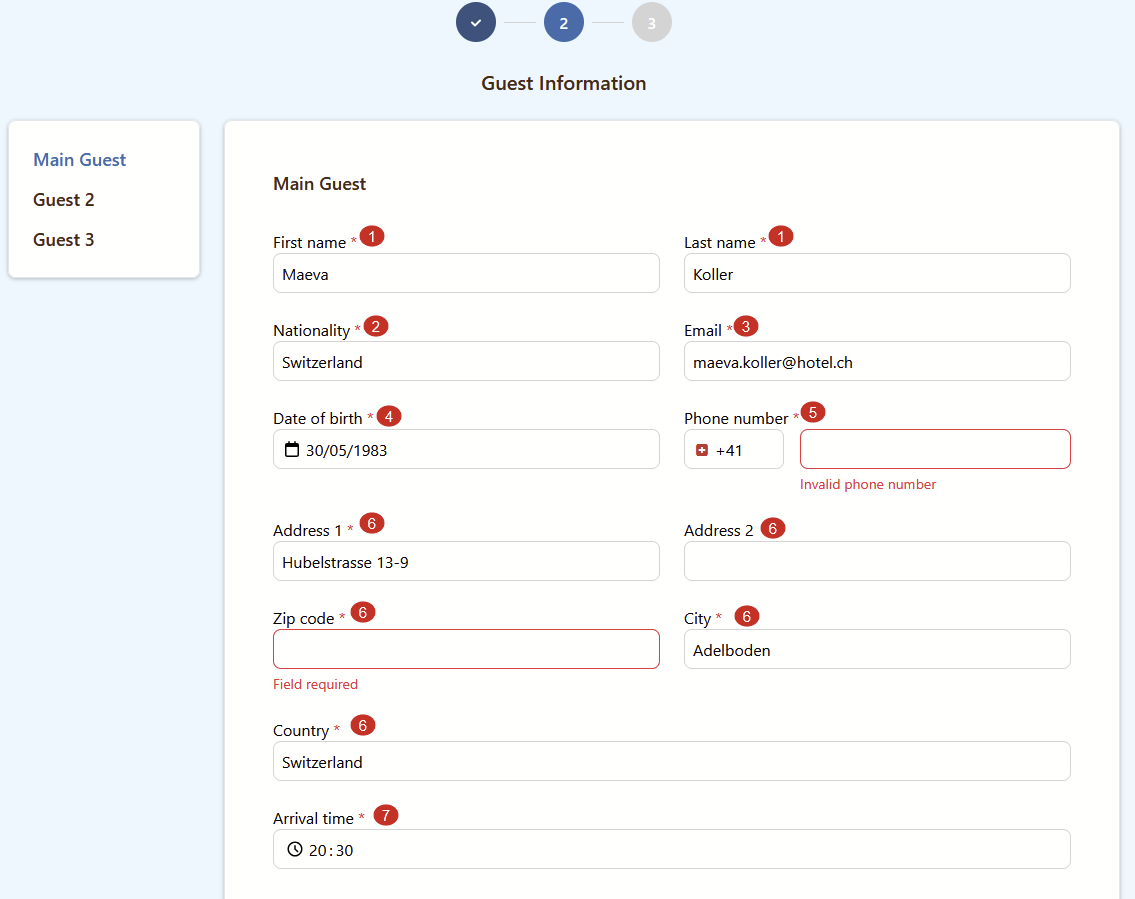
The form for the main guest consists of the following fields:
- First name and Last name - The main guest’s name must be entered.
- Nationality - Enter or select the guest’s nationality from the list.
- Email - Enter the guest’s email, which will be used to send the reservation confirmation.
- Date of birth - Enter the main guest’s date of birth.
- Phone number - Enter the main guest’s phone number.
- Address - Provide the full address, including street with house/apartment number, ZIP code, city, and country.
- Arrival time - Specify the estimated arrival time at the hotel.
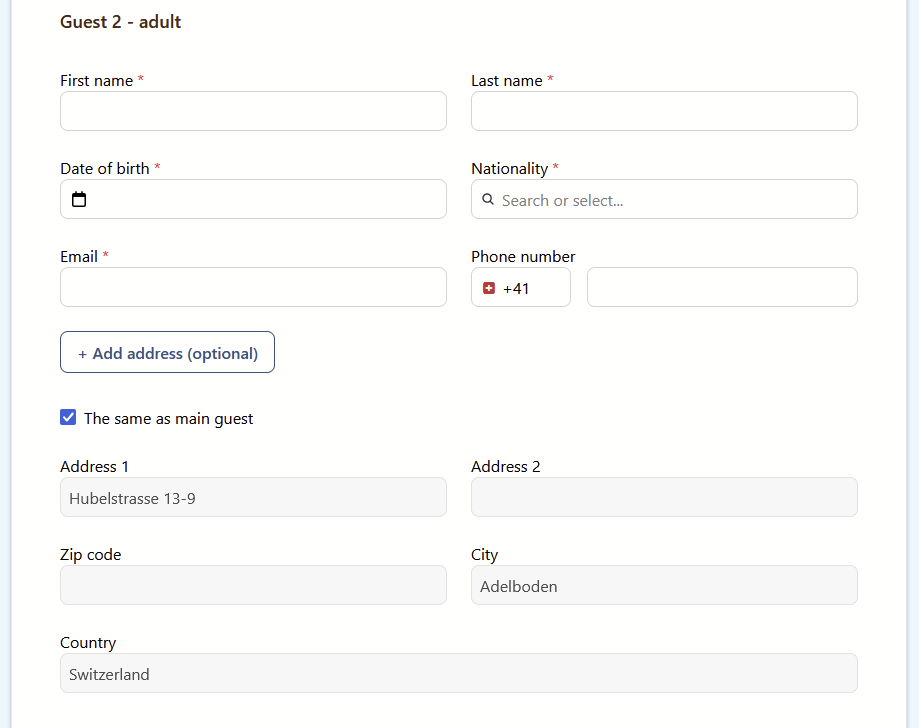
Additional Adult Guest form
The form for additional adult guests differs slightly from the main guest’s form: the address fields are optional (with the option to use the main guest’s address if needed), and the arrival time field is not included.
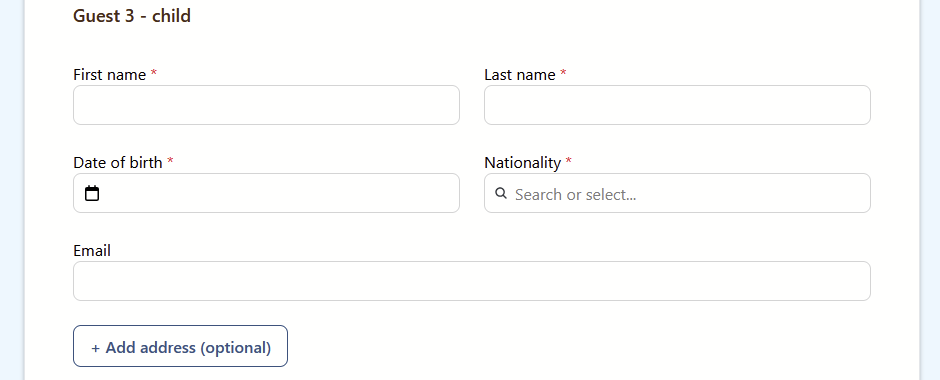
Child Guest form
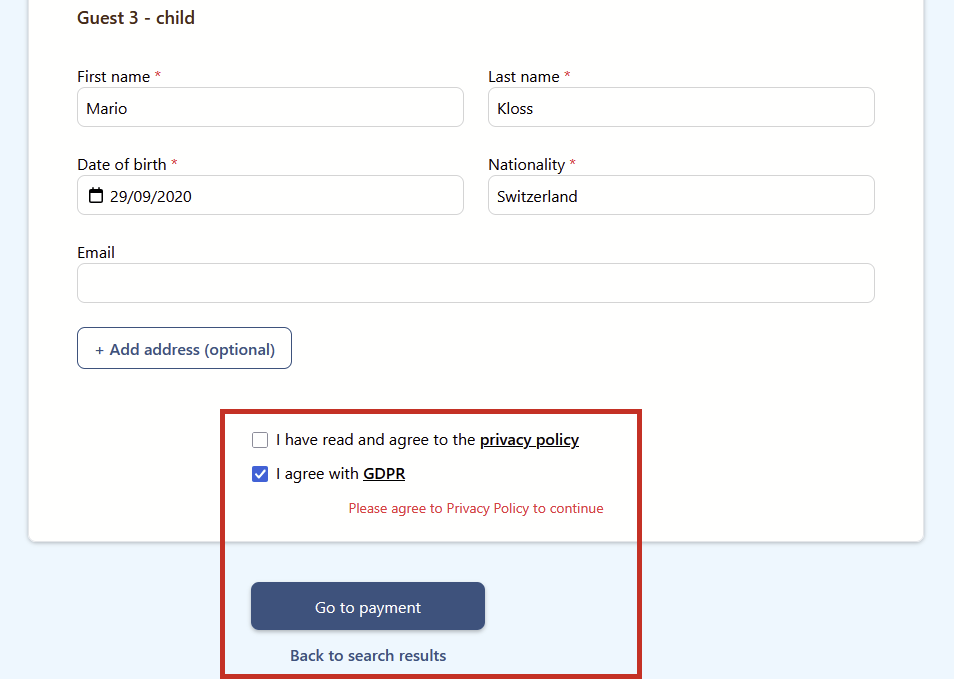
For child guests, the Phone Number field has been removed, and the Email field is not required.
Privacy Policy & GDPR. Proceed to Payment or Return to Room Selection
After all guest information for the current reservation has been entered, the guest must confirm consent to the privacy policy and GDPR. Redirection after clicking on PP&GDPR. If either checkbox is not selected, the system will notify the user. To proceed to the next step, click the Go to Payment button; to return to room selection, click Back to Search Results.
Momentan sind keine Kommentare vorhanden.
, um als erster einen Kommentar zu hinterlassen.