Payment Page
After providing all guest information, the next step is the Payment page.
On the left side, the 'Payment option' will be available — 'Pay at arrival'.
The right section displays the Order Summary of the reservation details — room type and quantity, stay dates and number of nights, cancellation option, and number of guests. Below, the total reservation cost is shown, including a Subtotal (before taxes) and the Taxes amount.
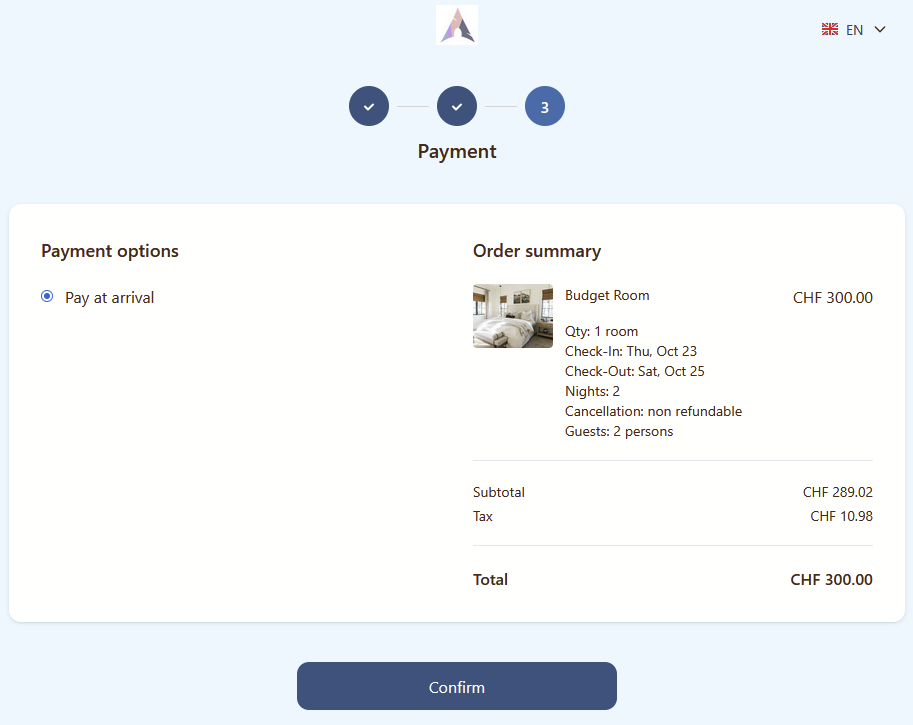
Clicking the Confirm button will redirect a guest to the next step.
Reservation Creation
After clicking the Confirm button, the system creates the reservation. It will be generated with the status Confirmed.
During this process, the system performs a contact validation check:
- If a contact with the same full name and email already exists, it will be reused.
- If there is a mismatch in either parameter, a new contact will be created.
Additionally, all guests entered during the reservation creation will be added to the Additional Guests tab, following the same contact-matching logic applied to the main guest.
If a guest creates a new reservation that includes multiple rooms with different price rates, the system will generate several reservations, grouping the rooms that share the same price rate.
Confirmation Page
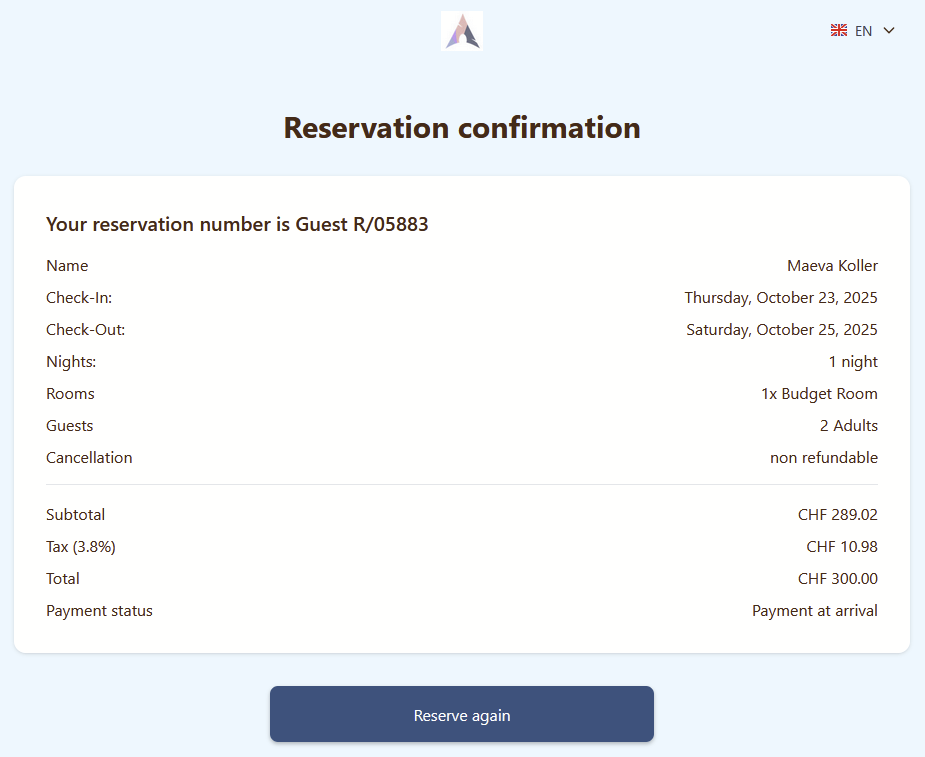
After clicking the Confirm button on the previous step, the guest will see the Confirmation page. At this stage, the guest will receive a reservation number, and a confirmation email will be sent to the main guest’s provided email address. The Reserve Again button will return the guest to the Welcome page.
Momentan sind keine Kommentare vorhanden.
, um als erster einen Kommentar zu hinterlassen.