The Booking Engine allows guests to search for rooms, check availability, select dates, and make reservations directly on the hotel’s website. It provides a smooth and user-friendly experience, ensuring that customers can easily complete their bookings online.
Welcome Page
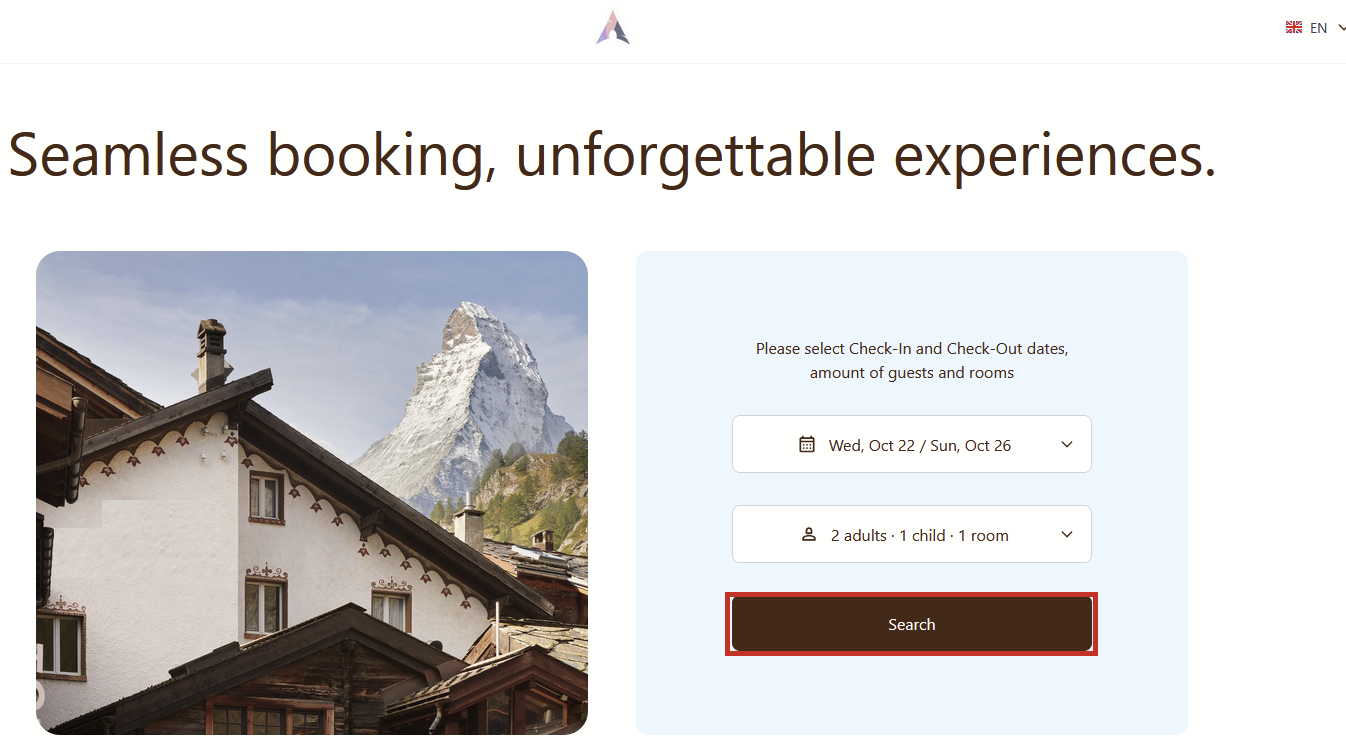
When guests open the hotel booking engine, they are greeted by a welcome page. At the top, the hotel logo is displayed. Below the hotel logo, the Booking Engine motto will be displayed. The page is divided into two sections: on the left, there’s an image of the hotel, and on the right, guests can enter their desired check-in and check-out dates, as well as the number of guests for their reservation and number of rooms.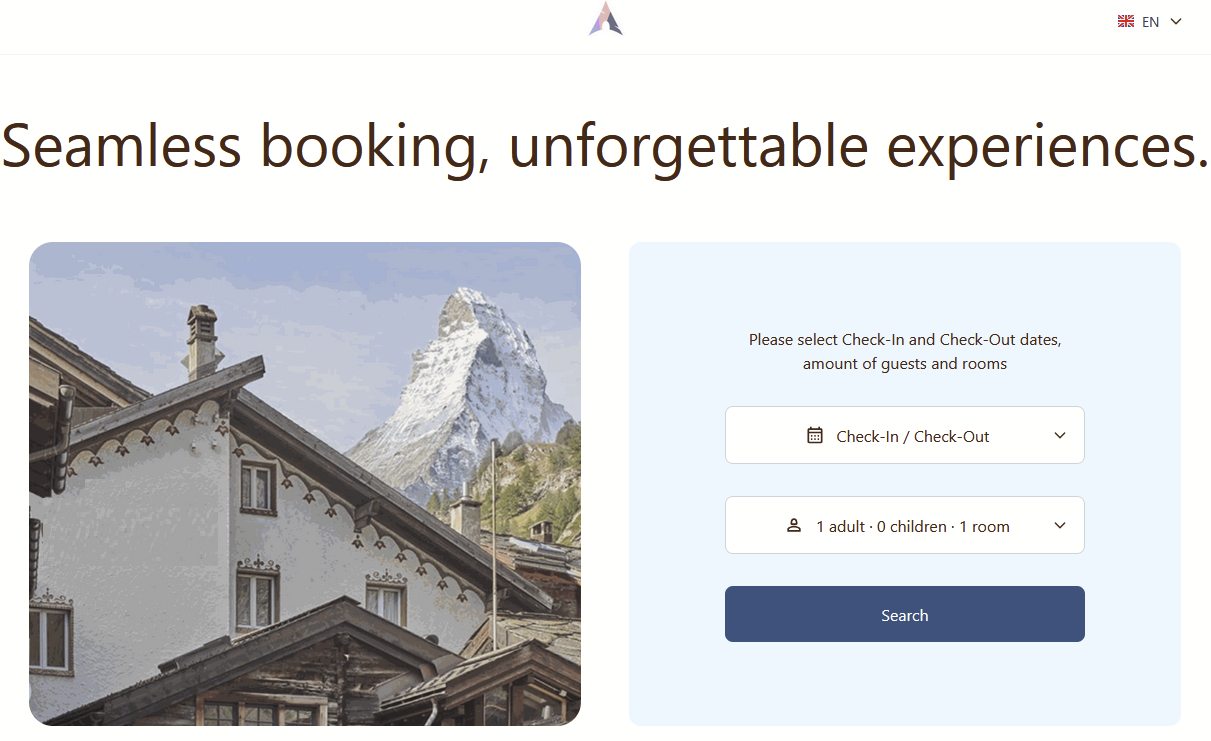
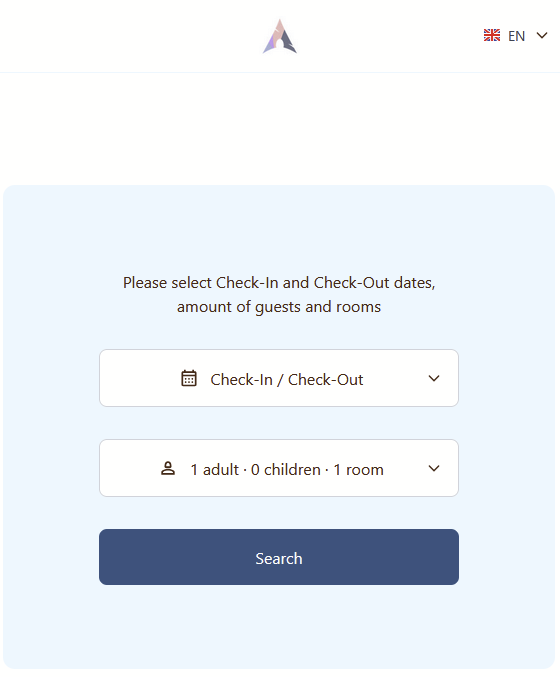
If no motto is set, it will not appear on the welcome page. Likewise, if the hotel image is missing, the page will display a single section with the date, guest, and room number fields.
Reservation Dates Selection
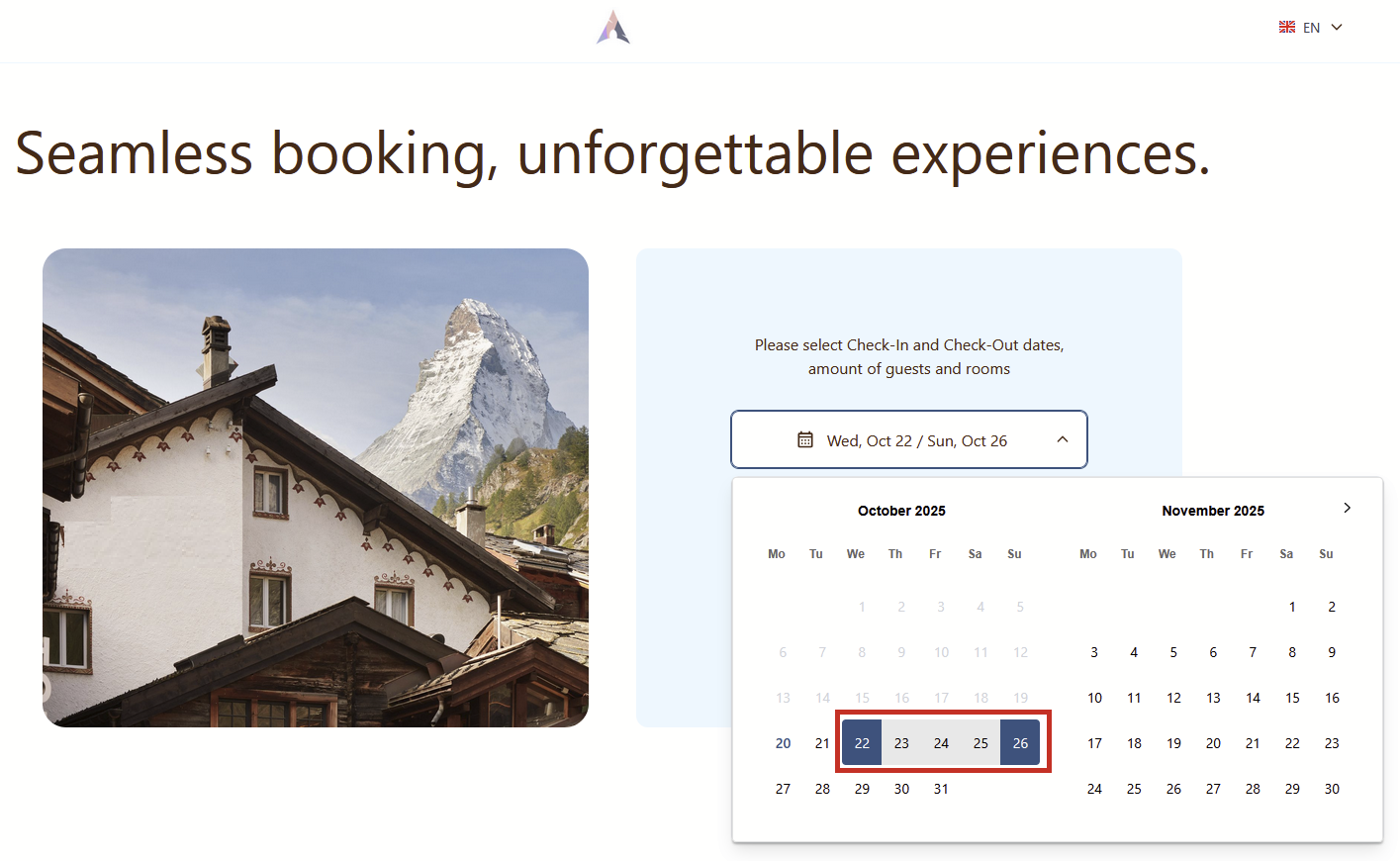
When clicking on the Check-In/Check-Out field, the system will open a calendar for selecting reservation dates. Once dates are chosen, the system will highlight the check-in and check-out dates, as well as the full reservation period.
Number of guests and rooms
When clicking on the Guests & Rooms field, the system will open a pop-up where the following information needs to be entered:
- Adults - Specify the number of adults for the current reservation.
- Children - If the reservation includes children, the age of each child must be entered in a separate Age needed field.
- Rooms - Specify the number of rooms for the current reservation.
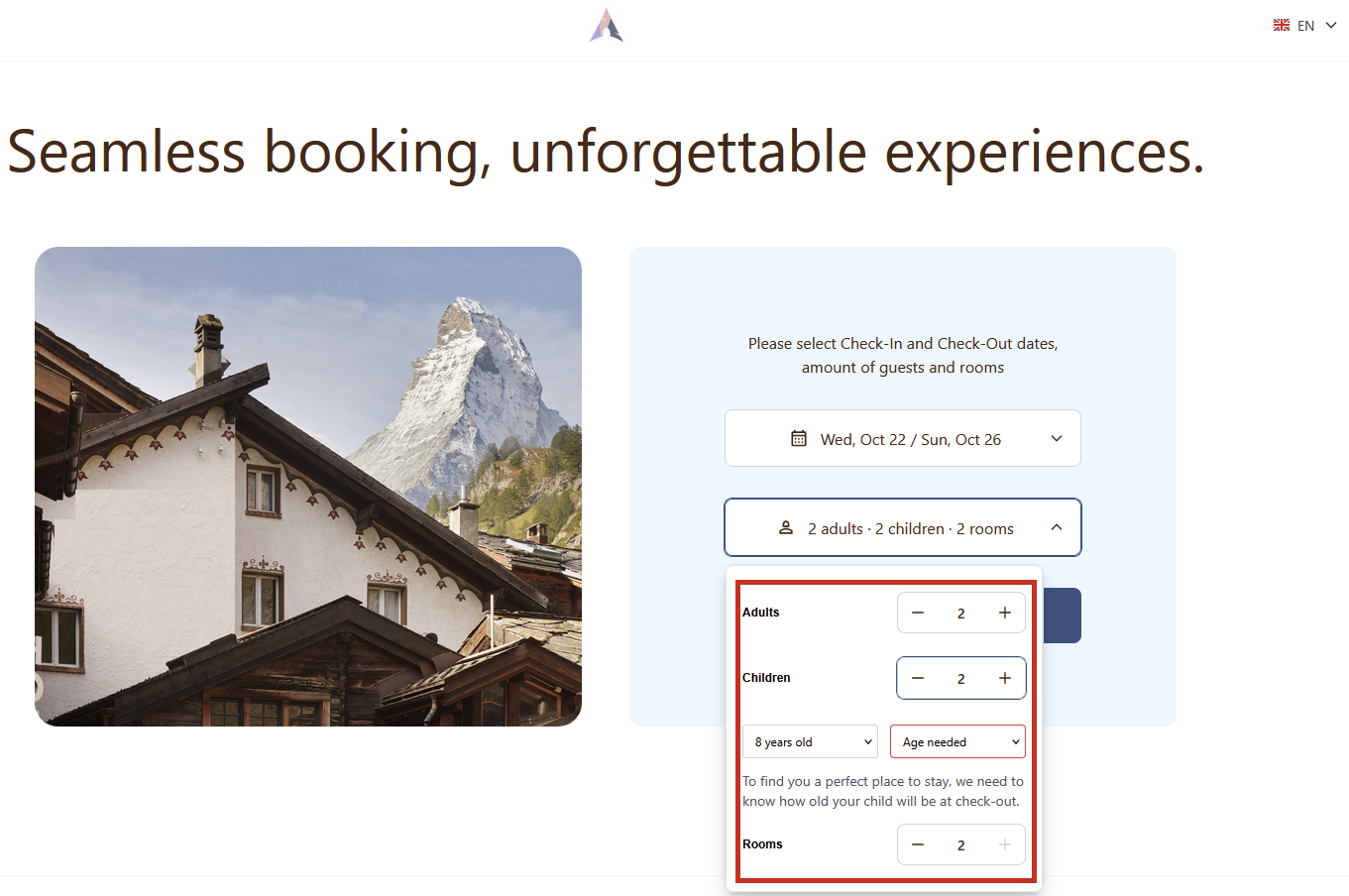
Once all required values are entered, the guest can proceed with the reservation by clicking the Search button.
Momentan sind keine Kommentare vorhanden.
, um als erster einen Kommentar zu hinterlassen.